
Your Outlook Emails Are Not as Safe as You Think
What every business should know about protecting Outlook and Microsoft 365 data.

What every business should know about protecting Outlook and Microsoft 365 data
Introduction
Email is one of the most important tools in every business. Contracts, invoices, customer conversations, internal approvals, meeting summaries, and important documents often live inside Outlook. If messages stop sending or arriving, follow our Outlook troubleshooting guide.
Because Outlook is connected to Microsoft 365 and stored in the cloud, many business owners assume their emails are automatically protected. But there is one important thing every company should understand: Outlook is not a backup system.
Microsoft 365 is a powerful cloud platform, but cloud access and proper backup are not the same thing.
The Common Mistake: "It's in the Cloud, So It's Safe"
Many businesses believe that if their emails are stored in Microsoft 365, then Microsoft automatically keeps a full backup of everything. That assumption can be risky.
Microsoft provides a reliable platform, strong infrastructure, and built-in recovery options. However, this does not mean every deleted email, mailbox, or file can always be restored easily or kept forever.
In many cases, the responsibility for protecting business data is shared between Microsoft and the company using the service. That means your business still needs to think about:
- Email backup
- User access
- Mailbox recovery
- Employee offboarding
- Security incidents
- Compliance requirements
What Can Go Wrong Without Proper Backup?
Email loss usually happens because of simple, everyday situations. For example, an employee may accidentally delete important emails. A mailbox may be compromised by a phishing attack. A former employee''s mailbox may be removed too quickly. A user may delete old correspondence that later becomes important for legal, financial, or customer service reasons.
Without a proper backup solution, recovering that information may be difficult, and sometimes impossible.
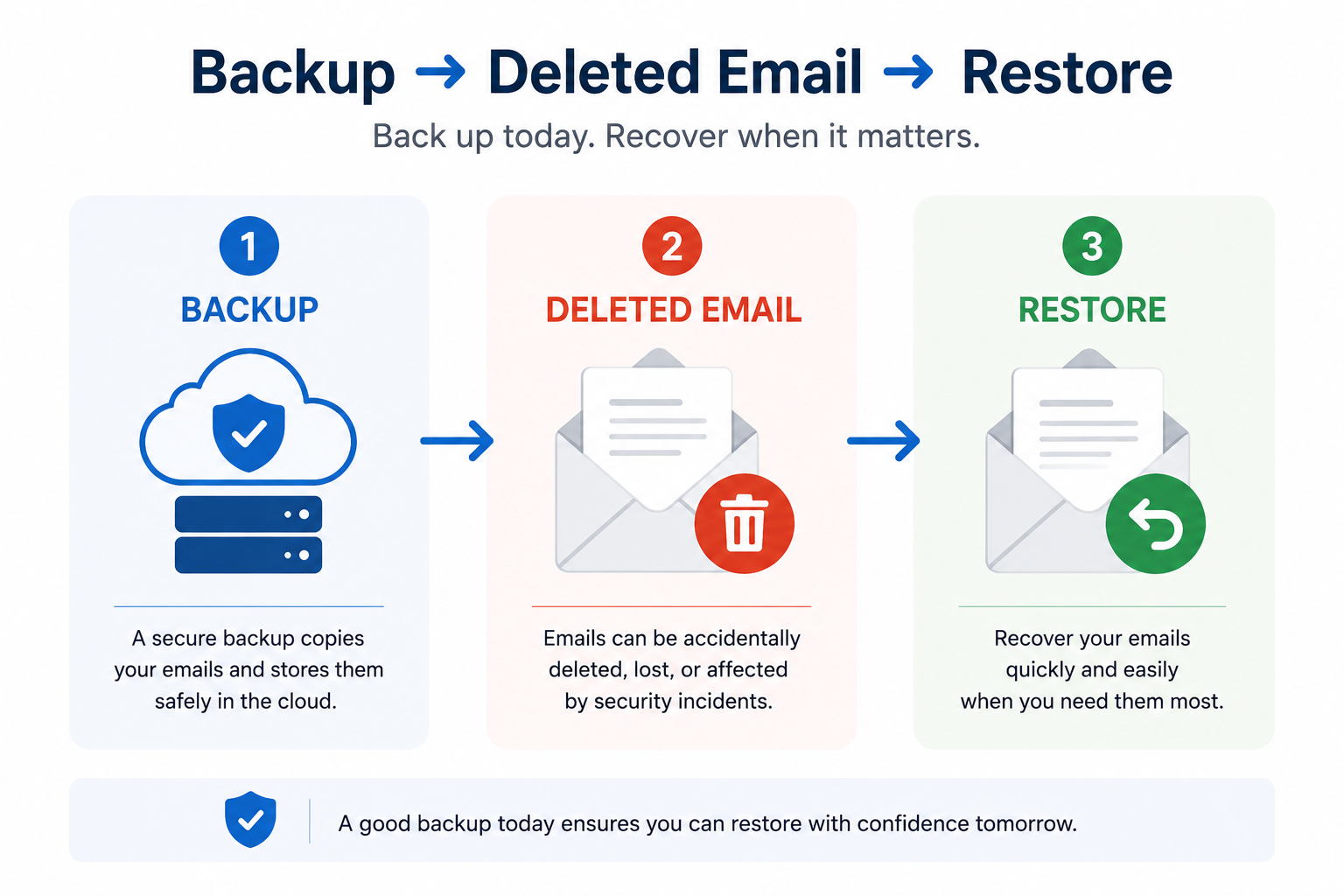
Common Scenarios and Business Risk
| Scenario | Business Risk |
|---|---|
| Accidental deletion | Important emails, invoices, or contracts may be lost |
| Employee leaves the company | Business history may disappear with the mailbox |
| Compromised account | Attackers may delete or manipulate emails |
| Legal or compliance request | Old messages may not be available when needed |
| Human error | Critical business data may be removed unintentionally |
Backup, Archive, and Mailbox Storage Are Not the Same
One of the main reasons businesses get confused is that different tools sound similar. But they do not serve the same purpose.
| Term | What It Means |
|---|---|
| Mailbox storage | Where your emails live day to day |
| Archive | Helps store older emails and reduce mailbox clutter |
| Backup | A separate copy of your data that can be restored when needed |
The difference is simple: An archive helps you organize and store data. A backup helps you recover data after something goes wrong.
Why Outlook Backup Matters for Businesses
Outlook is not just a communication tool. For many companies, it is part of their business memory. Your email system may include:
- Customer history
- Supplier agreements
- Invoices and payment confirmations
- Project approvals
- HR communication
- Legal correspondence
- Internal decisions
Losing this information can create operational, legal, and financial problems. A proper backup strategy gives your business the ability to recover important data quickly and reduce the impact of mistakes, cyber incidents, or employee changes.
What Should a Business Do?
Protecting Outlook and Microsoft 365 does not need to be complicated, but it does need to be planned. Every business should review these basic steps:
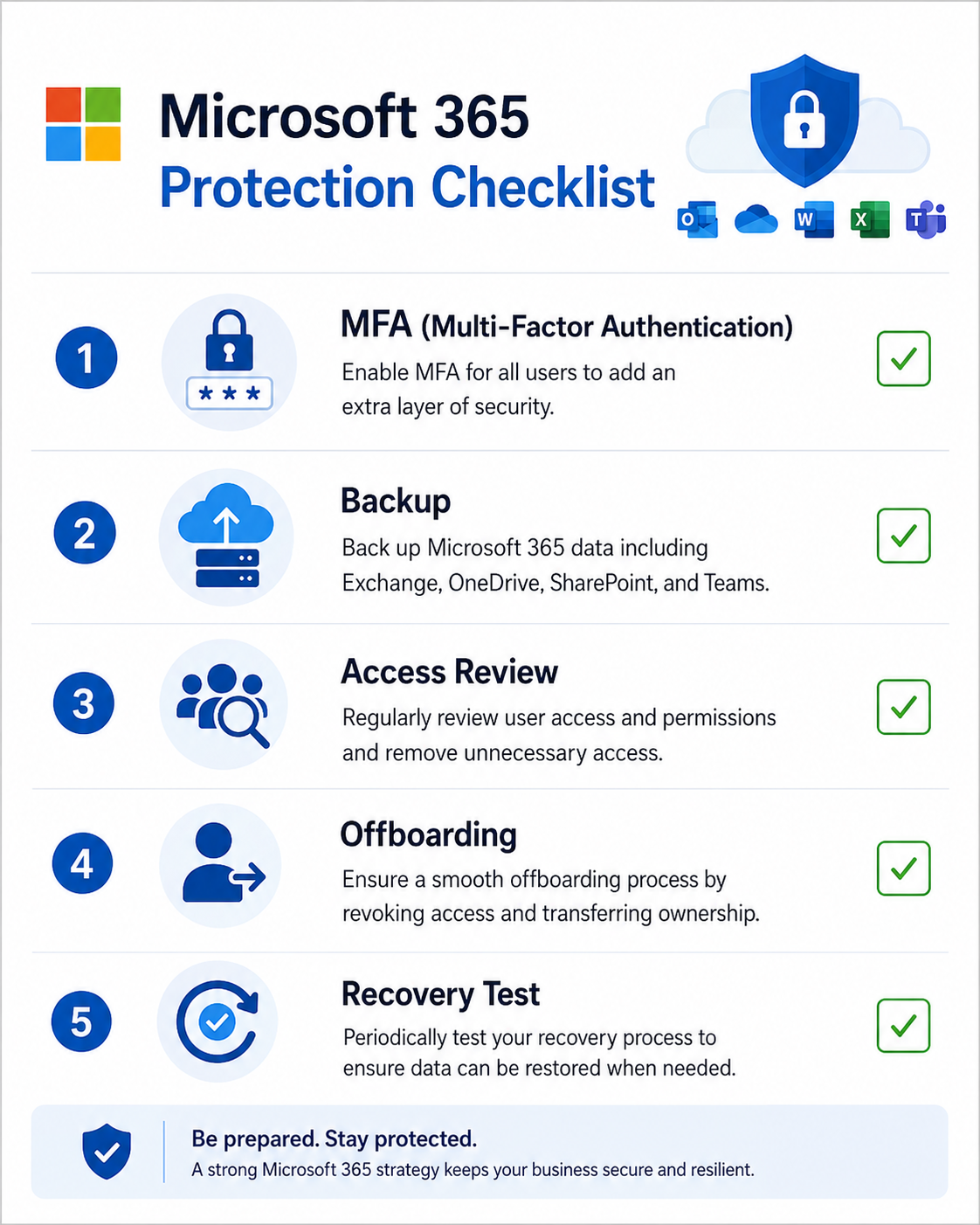
- Enable Multi-Factor Authentication, MFA helps protect user accounts even if a password is stolen. This is one of the simplest and most important security steps for every Microsoft 365 environment.
- Review User Access Regularly, not every employee needs access to every mailbox, shared folder, or company file. Reviewing permissions helps reduce unnecessary exposure and keeps business data under control.
- Create a Clear Offboarding Process, when an employee leaves the company, their mailbox and files should not simply disappear. The company should save important emails, transfer ownership of files, block access, preserve business data, and remove licenses only after review.
- Use a Dedicated Microsoft 365 Backup Solution, a dedicated backup solution can help protect Outlook, Exchange Online, OneDrive, SharePoint, and Microsoft Teams. This gives the business better recovery options if emails or files are deleted, changed, or lost.
- Test Your Recovery Process, having a backup is important. Knowing that you can actually restore data when needed is just as important. Businesses should test recovery from time to time to make sure the backup process works properly.
The Bottom Line
Outlook is essential for business communication, but it should not be treated as a backup system. Microsoft 365 gives businesses excellent productivity tools, but companies still need a clear strategy for protecting their emails, files, and users. A proper backup and security plan can help prevent data loss, reduce business risk, and make recovery much easier when something goes wrong.
Need help protecting your Outlook and Microsoft 365 data?
At 1iT, we help businesses manage, secure, and protect their Microsoft 365 environments. From Outlook backup and user security to access management and business continuity, our team helps companies reduce risk and keep their data protected.
Not sure if your Outlook data is properly backed up? Contact us for a Microsoft 365 review and find out where your business may be exposed.